
We’ve now got a user interface created and Dataverse tables created to provide a trivial means of capturing people for the Language Learning Application.
Reminding ourselves of the requirement:
Solution that will connect learners and experienced speakers of a language, considering levels of skill and preferred communication methods to facilitate time-bound meetings which must be paid for by the learner.
Allocating each Person a Role
A Person can be either a Mentor or an Apprentice, or both.
Update the Table
Therefore, we should have a field with two available options. This can be added as a Choice column to the Person table, using a Global Choice list:
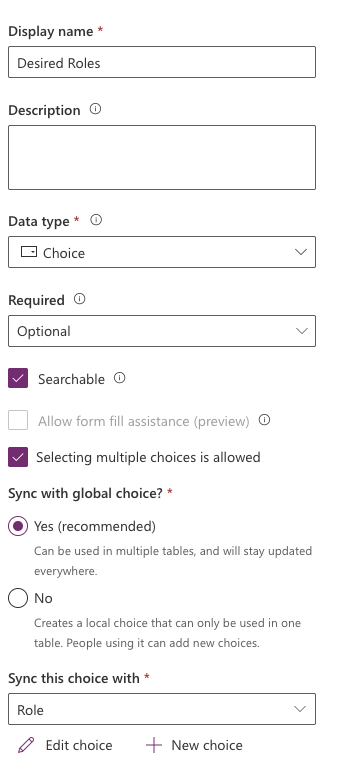
Making sure the “Selecting multiple choices is allowed”
Update the Form
Updating the Form allows users to select either or both options.
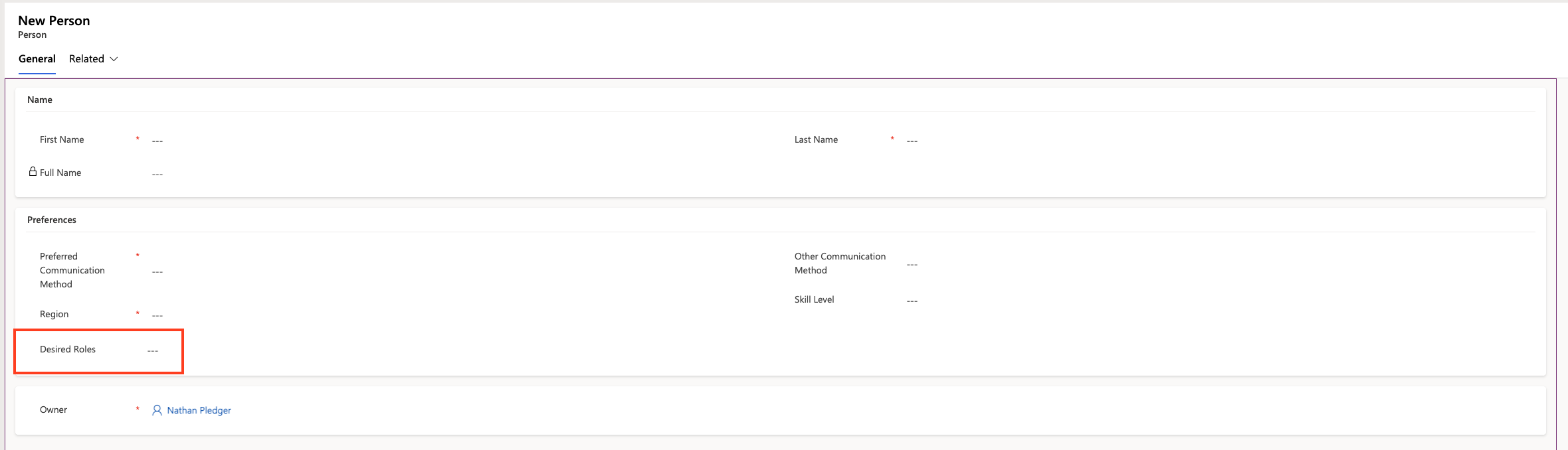
Which appears like this in the Form:

Create some Views
It is possible to create a couple of views, one for Mentors and one for Apprentices. Both can be easily created.
Views can be created as Personal Views or as Shared Views. This will create a Shared View, so all people see it.
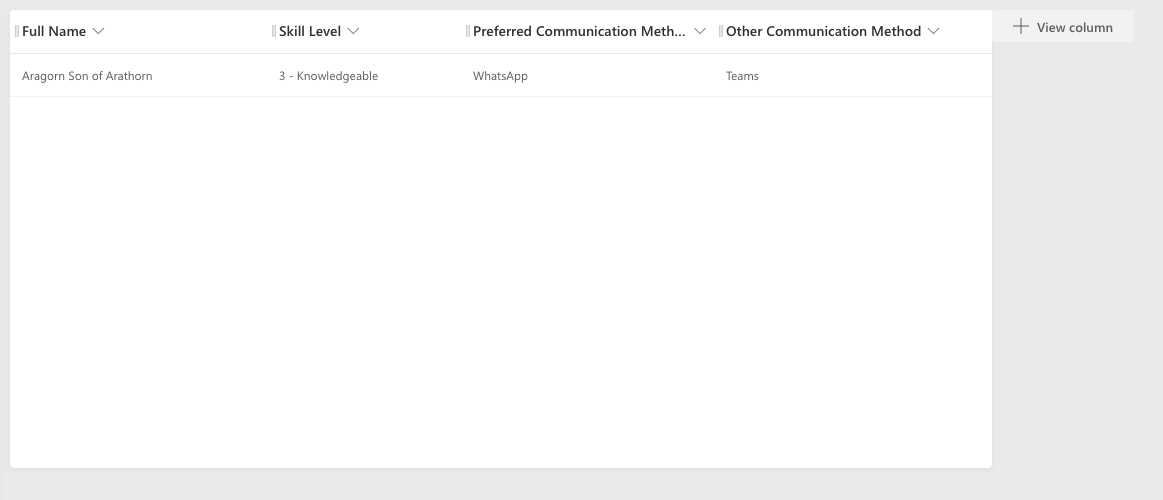
Create a new View in the Person Table and add some columns to it:
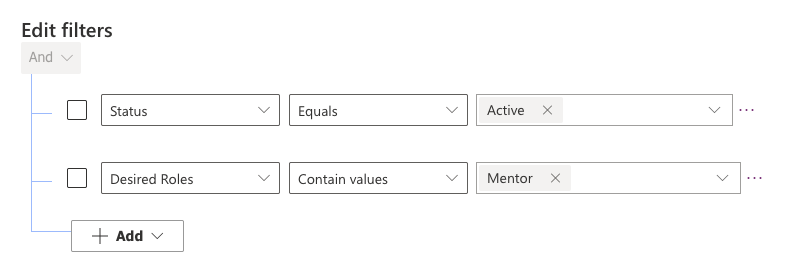
Add the Filter:
Annoyingly, it isn’t possible to sort by a hidden column or a column that isn’t in the view. Therefore, using the calculated column “Full Name” isn’t going to sort by surname, then first name.
Once Saved and Published, the View will be available for selection in the Model-driven App:

Do the same for the Apprentice Role.
The next task will be to ensure Payment has been taken by Apprentices, which can be achieved using a Business Process Flow.
More in this series
As I go through this, there are more posts which I’ve created.
 Live to work
Leave a comment